JD3 Lasers · Houston, TX · Closed Beta · Now accepting operators

Hours
Minutes.
Build the showfile.

The zone-building, layout, and remote-zoning toolkit for Pangolin BEYOND operators. What used to take a programmer four hours, a team of three, and a calculator — JD3 ZoneTools does in twenty minutes with a laptop on wifi.

~ 20×
Faster zone
file builds
N
Operators
in parallel
0
Remote desktop
headaches

The five-hour
pre-show
zone-build
workflow.

  1. 01
    A programmer positions 40+ fixtures one slider at a time. Equal spacing across the truss? Pull out a calculator.
  2. 02
    Need to invert X on the projectors that face stage-left? Trial and error, fixture by fixture, until something looks right.
  3. 03
    Map slicing for a multi-section rig? Math on a notepad, transcribed by hand, hoping no decimals got swapped between the pad and the editor.
  4. 04
    Mute buttons for "Stage Left," "FOH Truss," "Audience Scan"? Write a PangoScript for every group and every master, by hand, by name.
  5. 05
    Show day arrives. The operator walks the venue with a laptop on Remote Desktop, fighting the connection while the rest of the crew waits.
  6. 06
    Five hours later, the rig is zoned. The next gig, you do it all over again.
The six things JD3 ZoneTools changes

Each one alone saves hours. Together, they change the workflow.

01

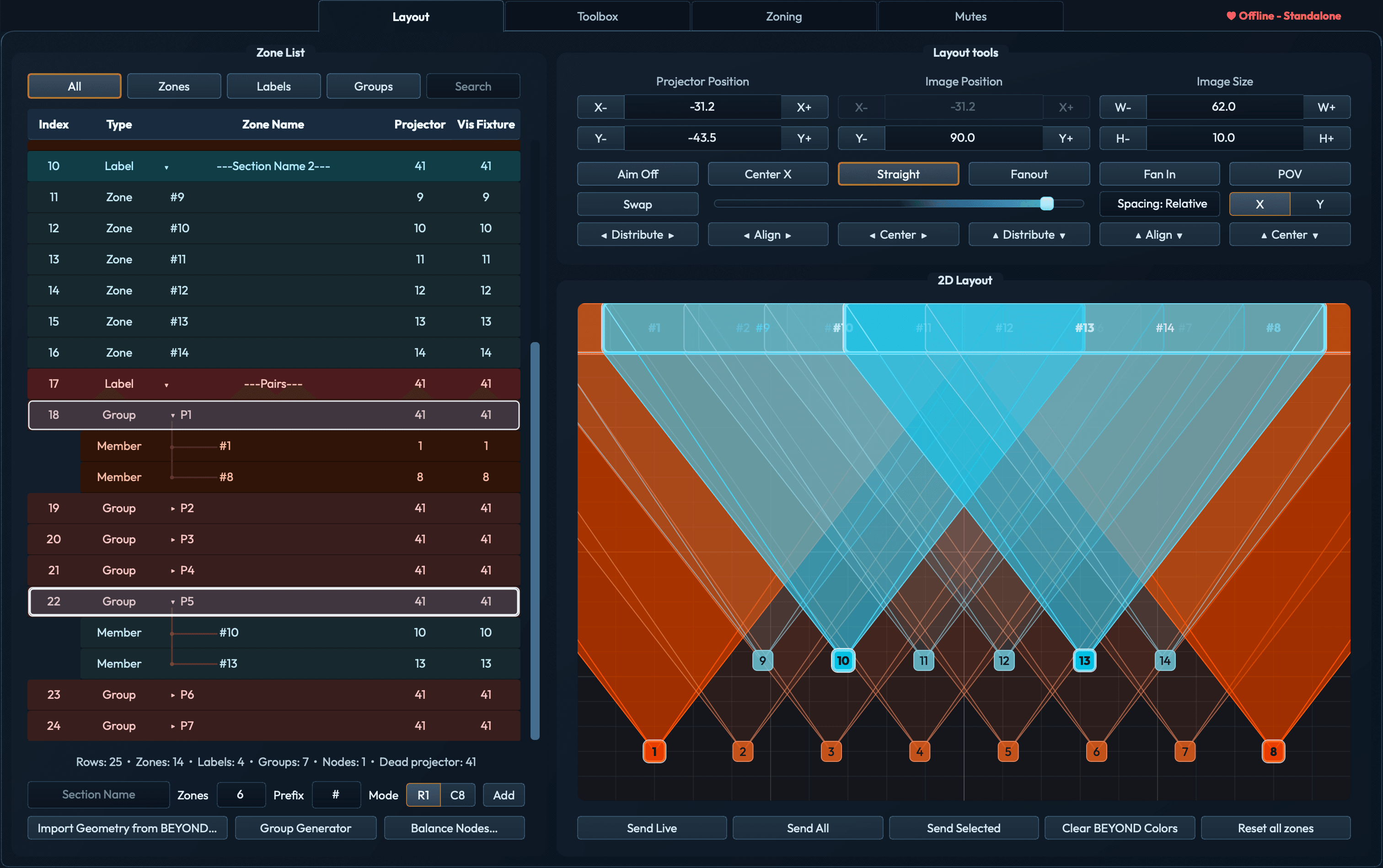
Build the zone list in seconds, not hours.

Start from a blank profile, a live BEYOND probe, or a CSV export. JD3 ZoneTools builds the entire zone-list structure — labels, groups, dummy zones, dead-projector slots — in a single import. Then drag, align, and distribute the whole rig on the canvas.

What used to be two hours of typing zone names is now a profile you ship in seconds, with grouping and section semantics intact for round-tripping.

·CSV roundtrip
·Live probe
·Group preserve
Import from BEYOND progress dialog showing zones being probed
02

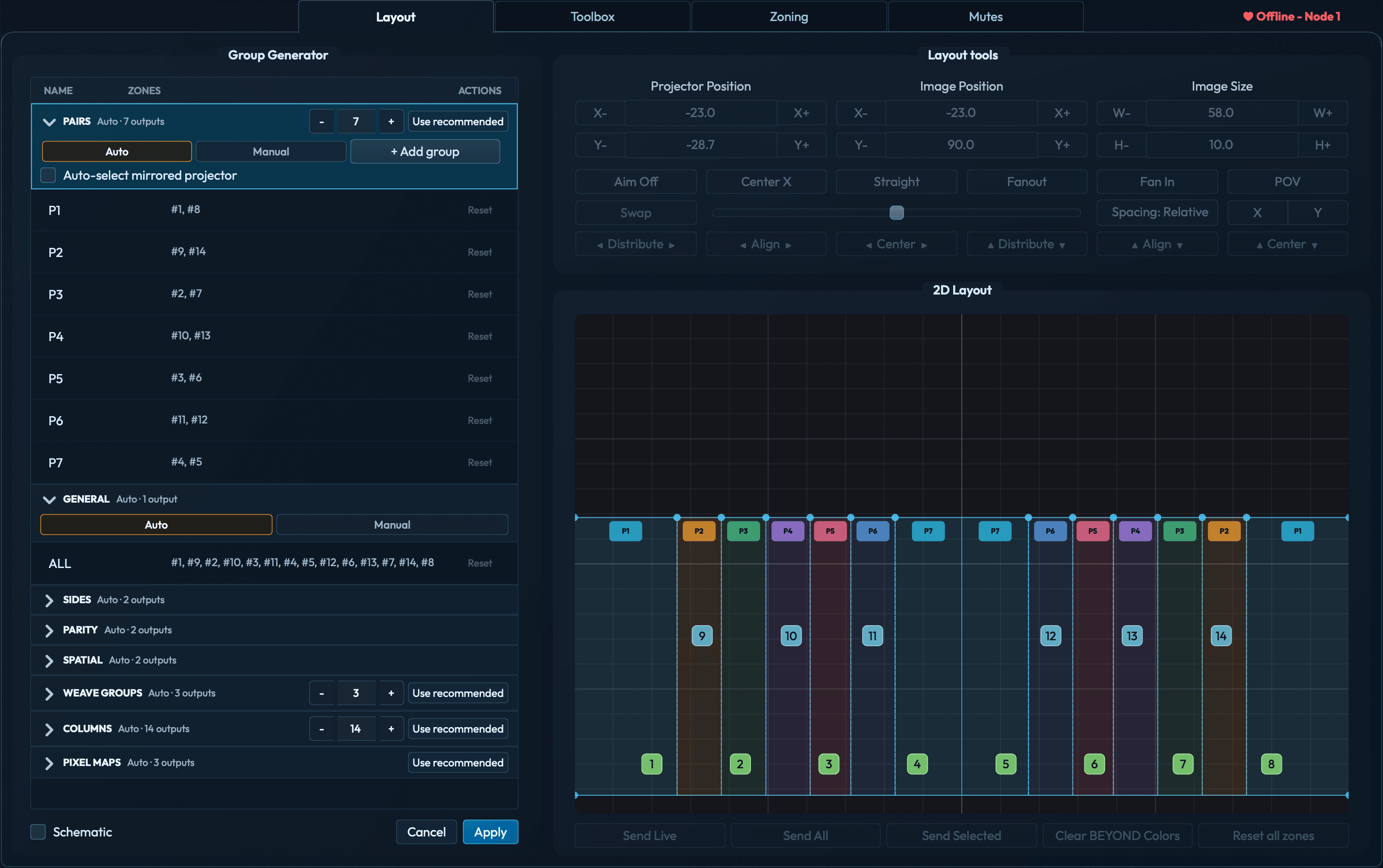
Select it here. Watch it fire on stage.

Click any row in the zone list. JD3 ZoneTools pushes that zone's color to BEYOND's live output in real time — the projector lights up on stage in its assigned color.

No more guessing which "Zone #12" is the one hanging upstage-right. Walk through the list and every fixture identifies itself. Works on single zones, groups, and multi-selections simultaneously.

·Live OSC feedback
·Zone identification
·Group highlight
Preview Builder canvas showing P1 and P5 selected with their zone colors pushed live to BEYOND
03

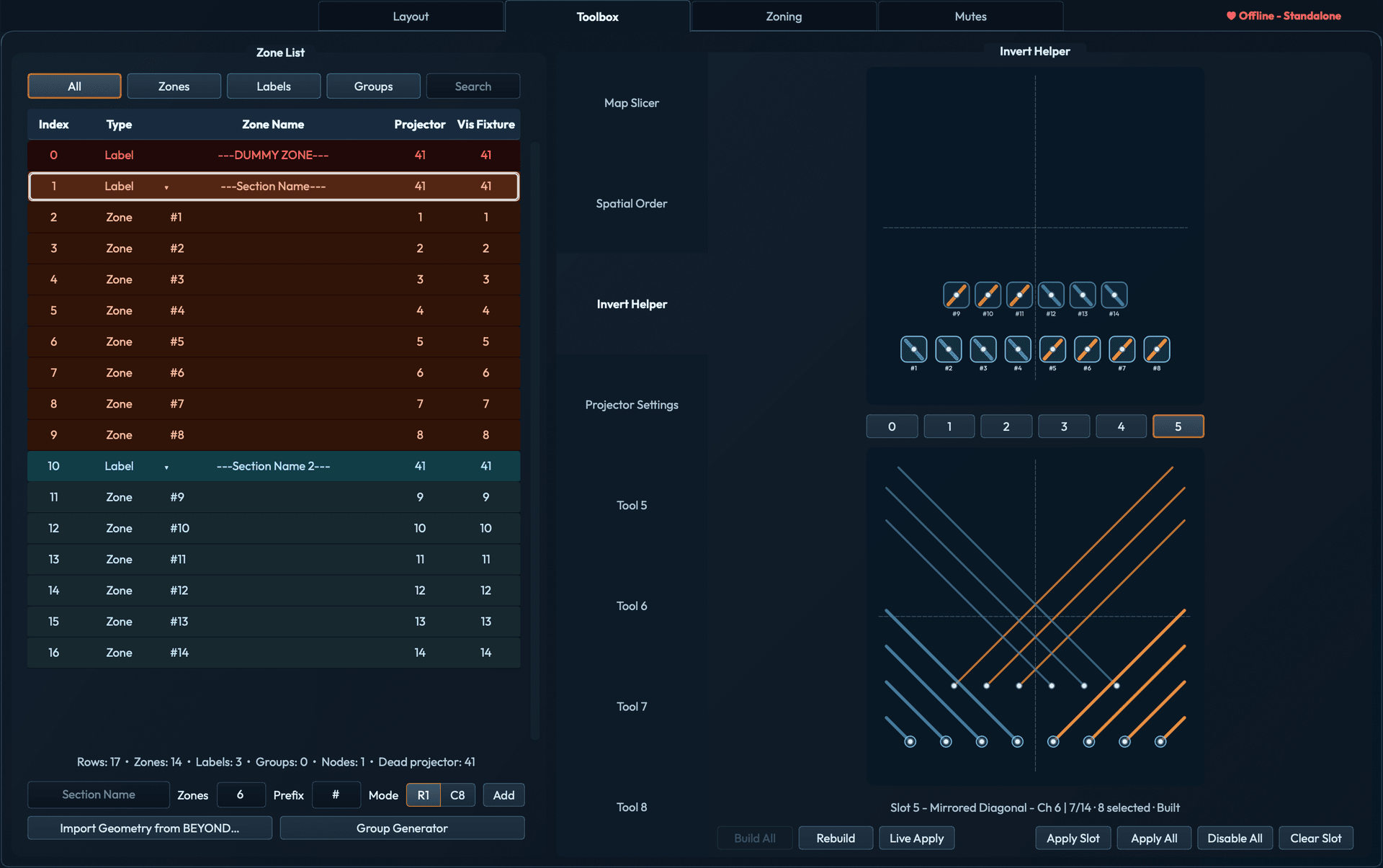
Helper tools that automate the hard math.

The Invert Helper reads each projector's coordinates and generates six pre-baked variants — SR/SL split, every-other column, upstage/downstage, checkerboard, and more — driven directly from your rig geometry.

What used to be hours of trial-and-error toggling across fixtures becomes one click and a visual diff on stage. Pick the look, commit it.

·Invert helper
·Spatial order
·Map slicer
Zone Tools Invert Helper showing slot 5 with mirrored bands invert type
04

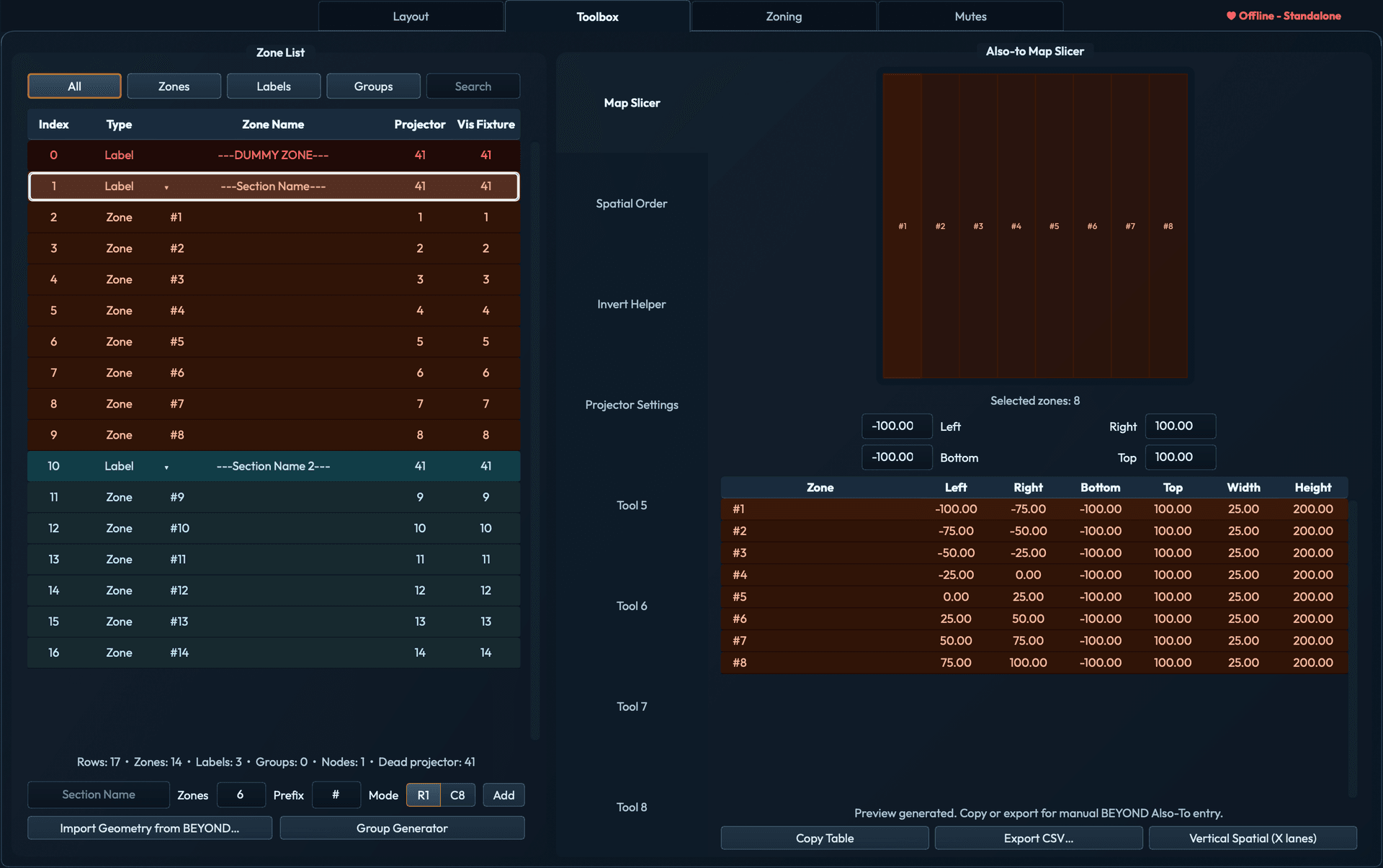
The map slicer eliminates the calculator.

Highlight a zone subset. JD3 ZoneTools returns an instant table of sliced values ready to type into BEYOND — or apply directly via Talk UDP.

No more swapping decimals between a notepad and the BEYOND zone editor. The math is right because the math is computed, not transcribed.

·Live preview
·Direct apply
Zone Tools Map Slicer showing slice table with computed zone boundary values
05

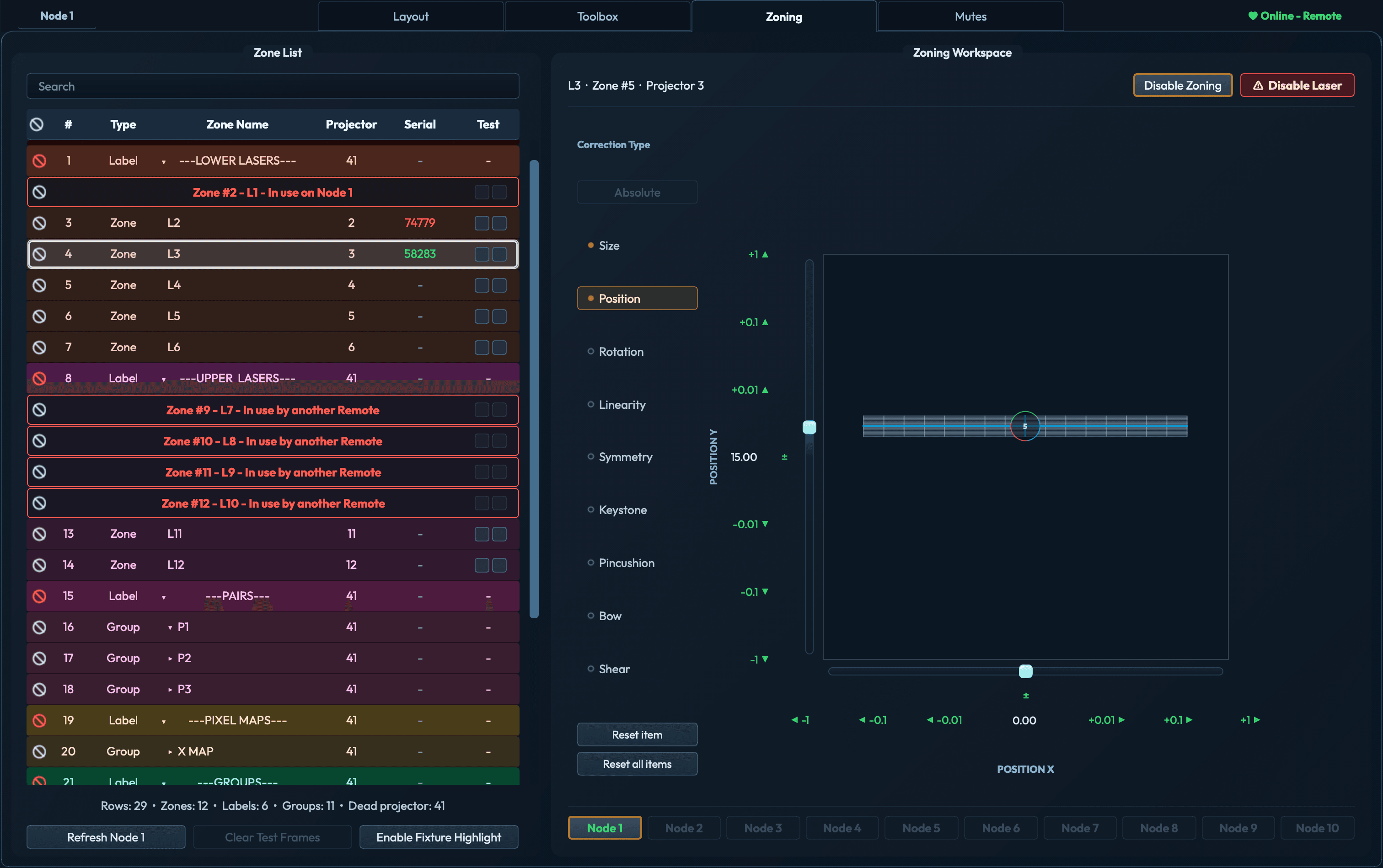
Per-projector output correction. From your laptop.

Bow correction, mesh warp, scale, rotate, aim — all from BEYOND-native sliders, all applied live to the output plane. Dial in each fixture independently while watching it update in real time.

No remote desktop. No walking back to FOH for every nudge. Walk the stage with a laptop, zone the fixtures in front of you, and watch the rig converge.

·Bow correction
·Mesh warp
·Live output plane
Zoning workspace showing bow correction sliders and a warped mesh on the projector
06

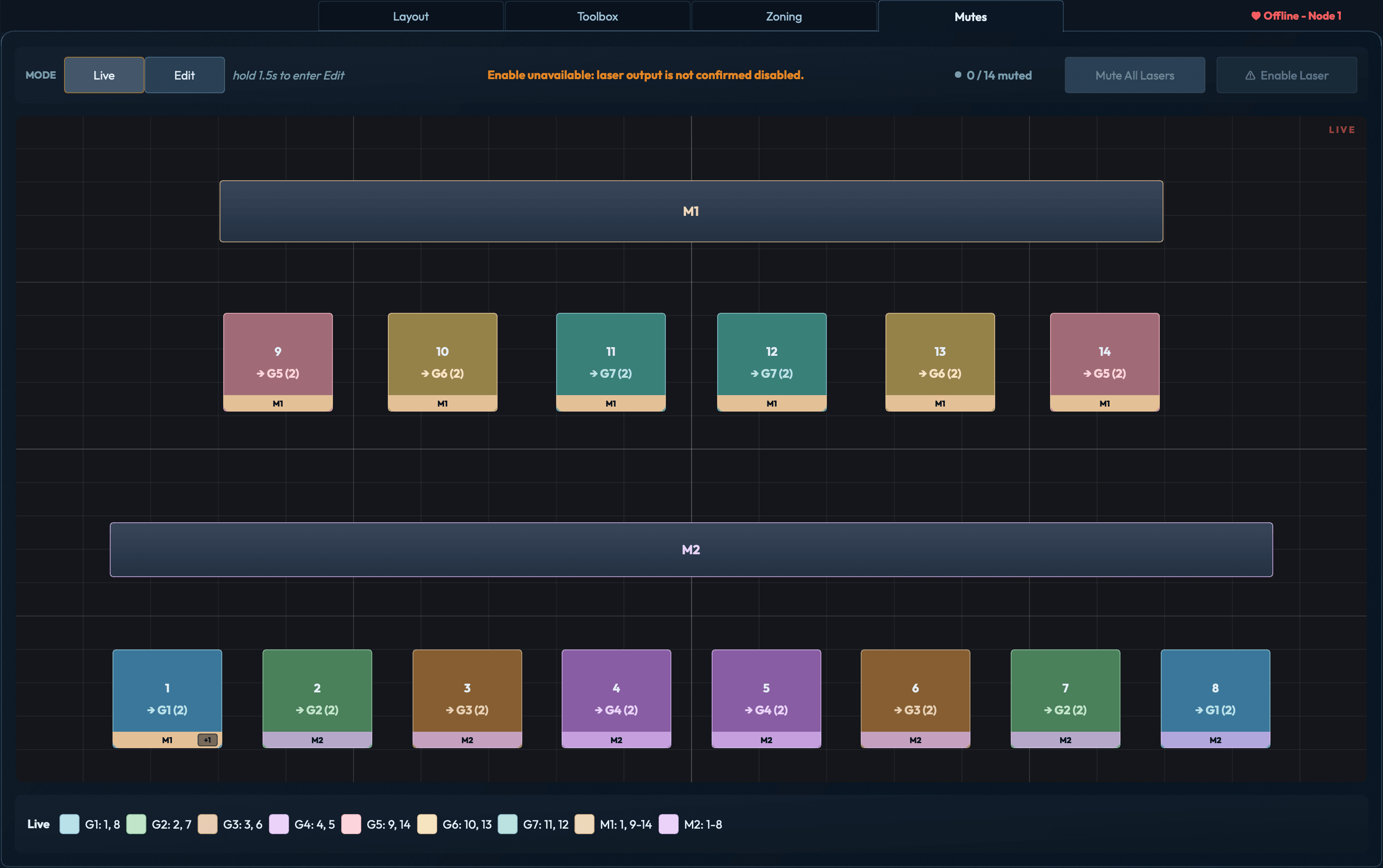
Mute groups built on the canvas. Not scripted by hand.

Hold the mode button to enter edit. Press New Group, then tap projectors on the canvas to build membership. Press Add Master for a draggable rail that mutes everything assigned to it. Done.

What used to be a PangoScript per button — written by hand, named by hand, debugged by hand — is now a canvas interaction that takes minutes, not an afternoon.

·Canvas tap to assign
·Draggable master rails
·No scripting
Mutes workspace in live mode showing master M1 and group G1 muted with red indicators

One BEYOND PC.
A crew with laptops.
Half the time.

Even on a 30-projector single-BEYOND rig, two operators in parallel finishes faster than one operator dancing the Remote-Desktop two-step. Free unlimited remote sessions on Crew. The session protocol handles the rest.

NODE A · MASTER
authority_node

BEYOND PC

Front-of-house. Owns Talk UDP / OSC to BEYOND. All writes route through here.

→ talk:16062 · osc:7000/8000
REMOTE 01
remote_client

MacBook · Foreman

Watches all zones converge. Approves leases.

→ wss · 22ms latency
REMOTE 02
remote_client

Laptop · Jane

Zoning P01–P10 · stage left.

→ wss · 28ms latency
REMOTE 03
remote_client

Surface · Marco

Zoning P21–P30 · stage right.

→ wss · 19ms latency
Wifi-resilient mesh Lease-arbitrated writes Zero remote desktop Free unlimited remotes
Pricing · perpetual licenses · no subscription

Buy it once.
Own it forever.

Tier · Solo
Solo
$ 499 / once
Single BEYOND PC · 1 paired remote
  • All six workflow tools — Preview Builder, Helpers, Zoning, Mutes
  • Standalone direct BEYOND control
  • One paired remote (Mac or Windows laptop) for self-zoning on wifi
  • 2 concurrent activations (studio + tour rig)
  • Free updates within current major version
  • Paid major-version upgrades at reduced rate
Request access

Volume discount · Crew tier

Contact for volume pricing
1 – 2 licenses
$799
no discount
3 – 4 licenses
10% off
$719 / PC
5 – 9 licenses
20% off
$639 / PC
10+ licenses
25% off
$599 / PC
Paid major upgrades only · No subscription · No annual maintenance

Get in before
it ships.

Closed beta — limited seats for working BEYOND operators. Full feature access and a direct line to the developer while it's still being shaped.

Request beta access →
Windows · macOS · Pangolin BEYOND 5.5+ · Closed beta · Limited seats